How to Turn Video Into Searchable Data | VideoSenseAI Tutorial
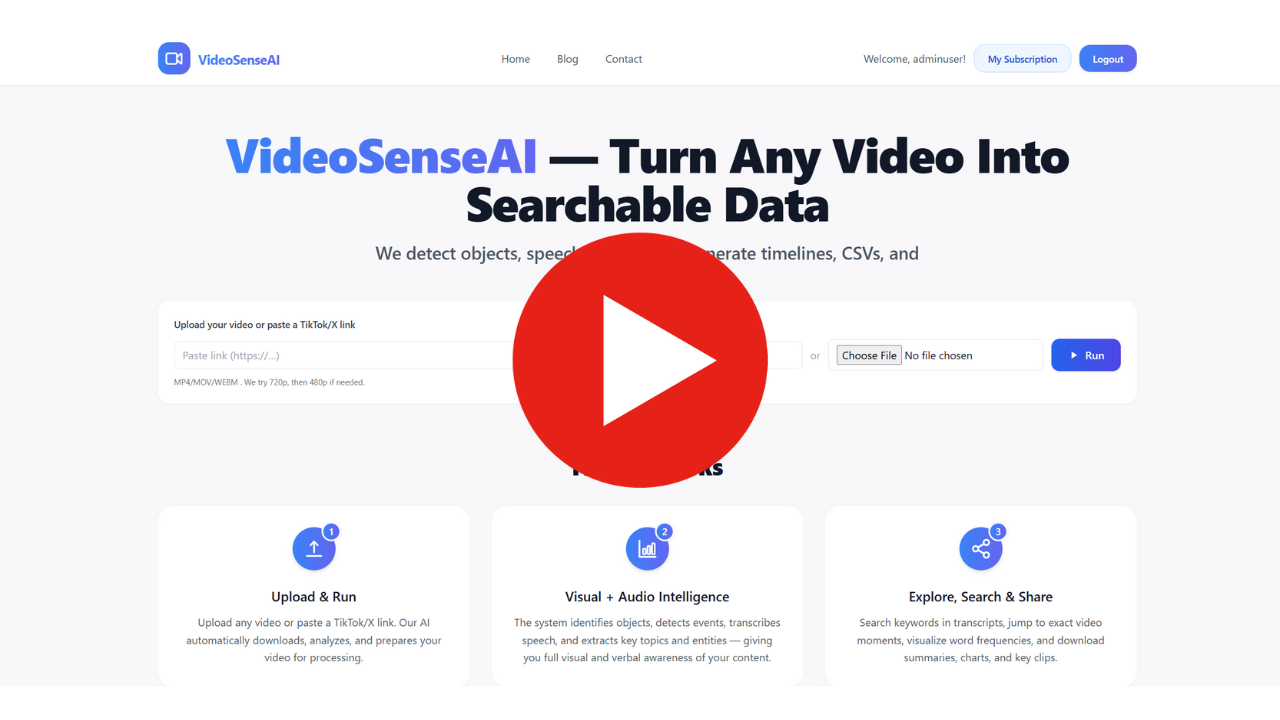
What “Turning Video Into Searchable Data” Actually Means:
Instead of watching the full video manually, VideoSenseAI produces structured outputs that you can search and filter, like:
✅ Object and event timelines (jump to any moment)
✅ A searchable transcript (jump to any word)
✅ CSV / JSON exports (use in Excel, Power BI, Python)
✅ Highlights and summaries (understand long footage fast)
✅ Video Statistics
So the video becomes data you can query, not a file you must sit through.
Step 1: Upload a Video or Paste a Public Link
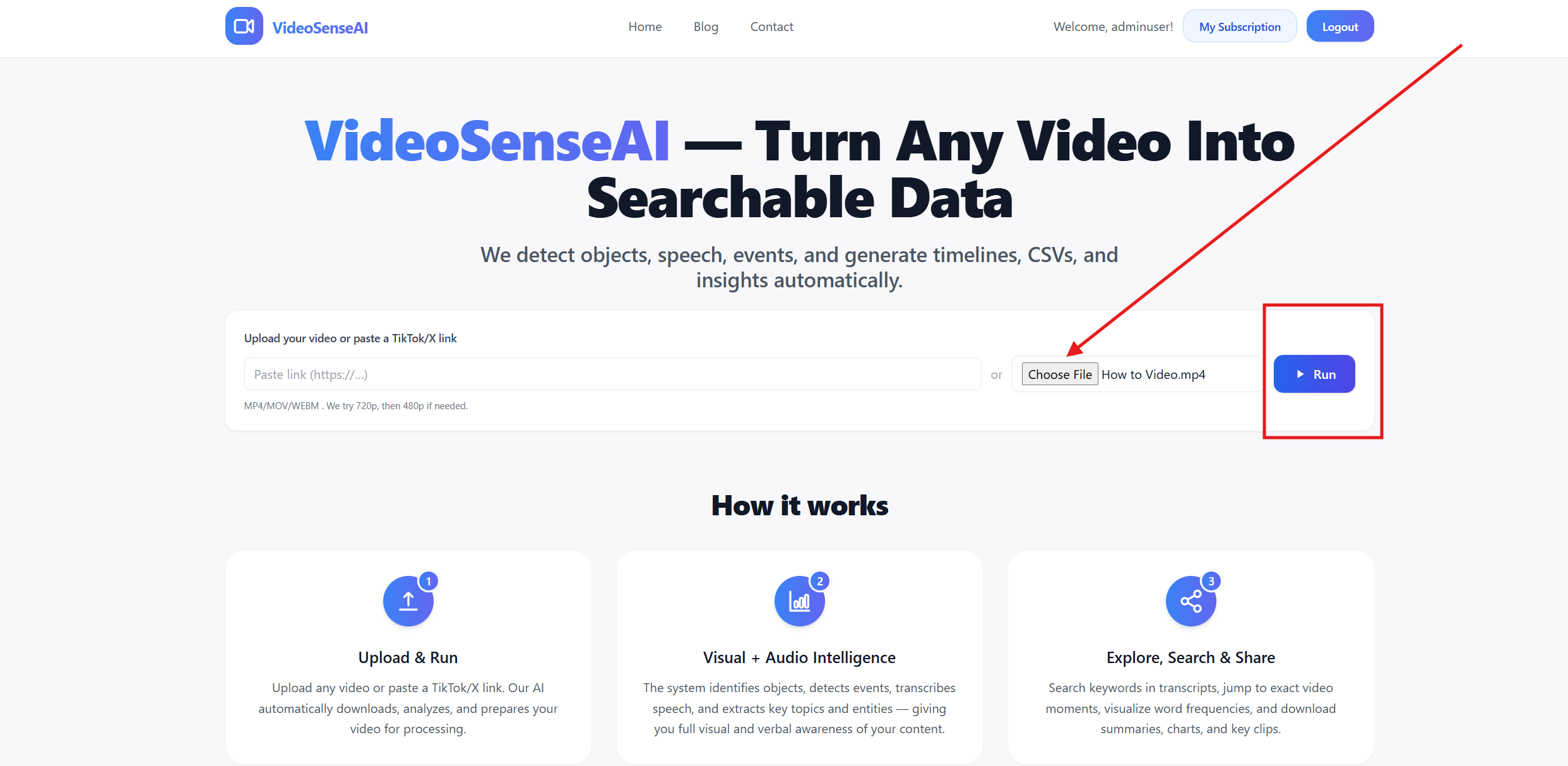
Getting started is intentionally simple:
📌 Upload a video file (MP4 / MOV / WEBM)
📌 Or paste a public link (TikTok / X / Shorts, depending on your setup)
Step 2: Visual Intelligence — What the AI Sees

VideoSenseAI analyzes frames across the timeline and extracts what appears on screen.
It can detect things like:
👥 people and groups
🚗 cars, trucks, bikes
🧳 bags, objects, tools
🦺 PPE items such as helmets and safety vests (use-case dependent)
🐾 animals and environmental elements
🏁 logos, screens, and other visible signals (where applicable)
Example (CCTV):
Instead of watching 2 hours of footage, you can search detections like “person”, “car”, “bag” and jump directly to the timestamps where they appear.
Example (Drone):
Instead of reviewing a full flight, you can jump to the moments where vehicles appear, activity peaks, a fire, or an anomaly is detected.
Step 3: Audio + Speech Intelligence — What the AI Hears
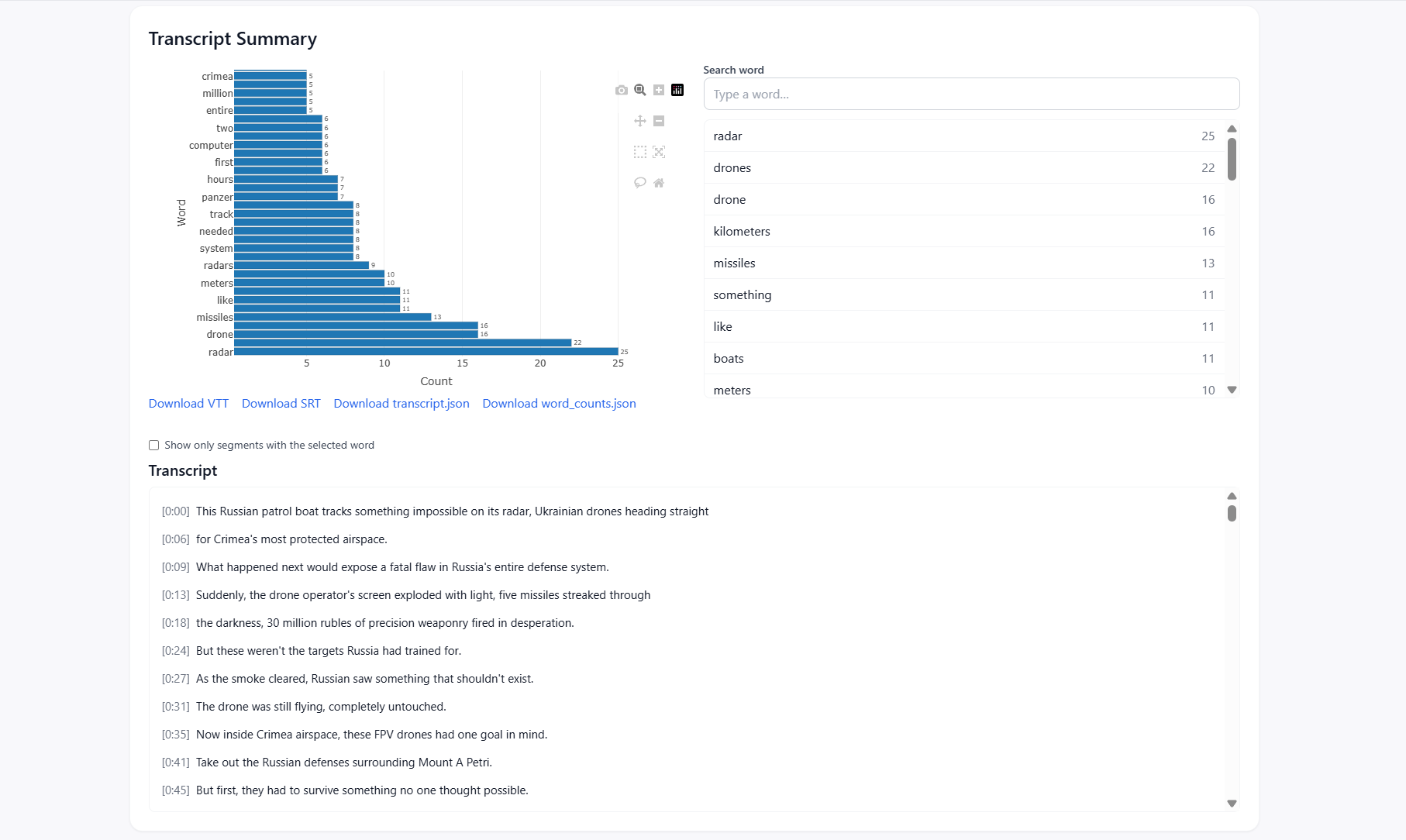
If your video contains speech, VideoSenseAI can generate a timestamped transcript that is fully searchable.
This is valuable for:
- meetings and training videos
- interviews and podcasts
- webinars and sales calls
- long-form YouTube content
Example (Meeting):
You can search for “deadline”, “budget”, “contract”, or any keyword and jump to the exact moment it was said.
This is especially useful for teams who don’t want to rewatch entire recordings just to extract key points.
Step 4: What You Get After Processing
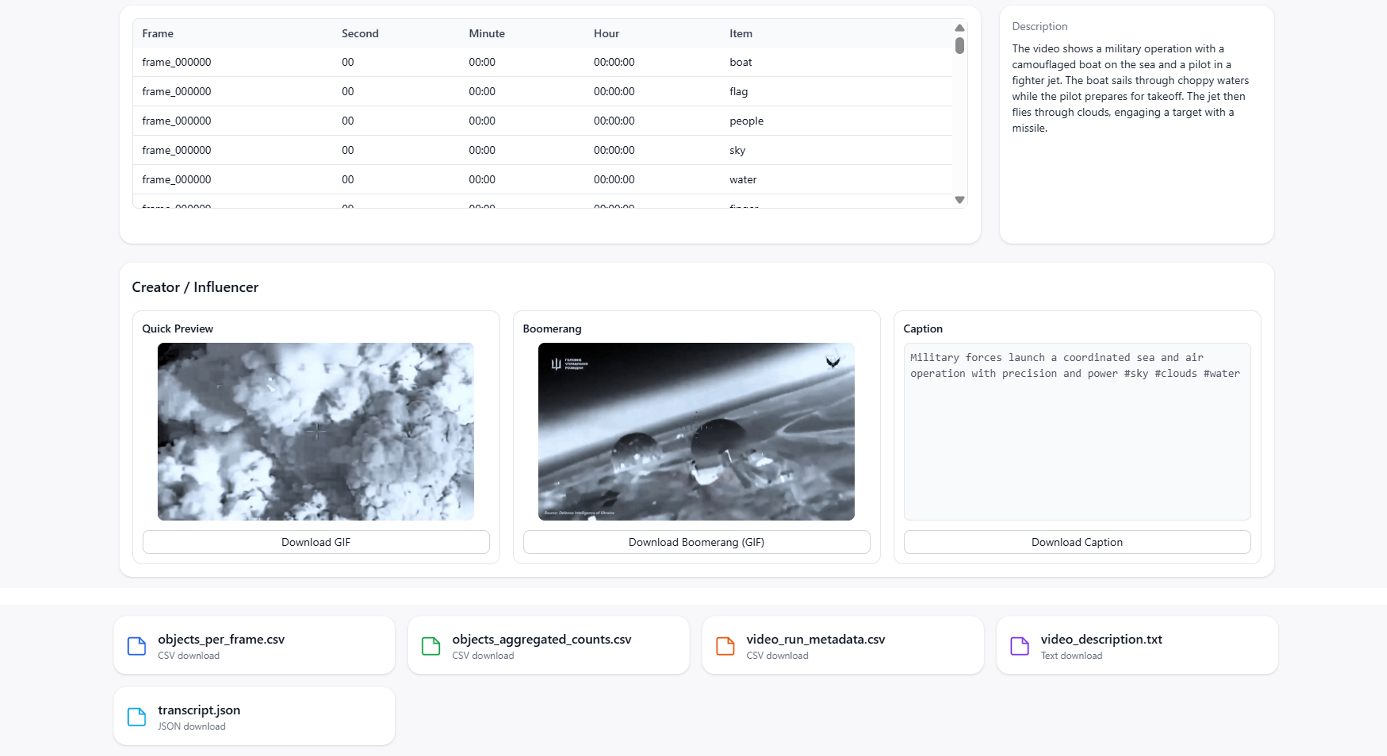
Once analysis is complete, you typically get:
✅ Searchable timeline of detections and events
✅ Structured exports (CSV / JSON) with timestamps and data
✅ Summary insights (what happened, what was most frequent, where activity peaked)
✅ Highlights that help you review faster
✅ Statistics you can use for reporting, evidence, or content
If your workflow includes analytics tools, exports are the big win:
- Excel / Google Sheets: quick filtering and summaries
- Power BI: dashboards, trends, frequency charts
- Python: deeper analysis, automation, custom reports
Who Is This Useful For?
Security teams & incident review
- Find specific moments in CCTV fast
- Create incident timelines and reports
- Reduce investigation time dramatically
Drone operators & inspection teams
- Review long flights quickly
- Identify specific moments, assets, fires, drowning people, missing people or anomalies
- Export results for operational reporting
Corporate teams & compliance
- Search long meeting recordings
- Extract key points without rewatching
- Create auditable “what was said and when” logs
Creators, editors & agencies
- Find highlights, hooks, and key moments
- Generate transcripts for captions and SEO content
- Repurpose long videos faster
Researchers & analysts
- Turn public videos into structured datasets
- Compare topics, moments, or event patterns
- Save time extracting metadata manually
Why It Matters (The Real Value)
The value is simple: VideoSenseAI saves time, reduces manual work, and turns video into actionable intelligence.
Instead of spending hours searching footage, you get:
- faster review
- structured outputs
- searchable and exportable data
- better reporting and decision-making
Common Questions (FAQ)
Can I upload private videos?
Yes — you can upload your own files directly.
Can I paste public videos (TikTok/X/Shorts)?
Yes — if the link is public and supported in your setup.
Can I export results?
Yes — exporting structured outputs (CSV/JSON) is a major benefit for analytics and reporting.
Can I use this for reporting?
Yes. Many teams use the outputs for incident reporting, summaries, evidence logs, and dashboards.
Is the video stored forever?
No — your platform deletes videos automatically based on your retention policy (in your case, 30 days).
Try It Now
If you want to see what “turning video into searchable data” feels like:
1. Upload a short video
2. Run analysis
3. Search detections, speech, and moments
4. Export the results and explore them
Video is the new data — and it should be searchable.
Read a practical usecase here: https://videosenseai.com/blogs/ai-drone-analysis-search-and-rescue-missing-persons/
Related Guides
If you're exploring AI-powered video intelligence, you may also find these in-depth guides useful:
- What Is a Video Search Engine? How AI Turns Video Into Searchable Data
- How to Search Inside Videos for Objects, Words & Events Using AI
These resources explain how modern video indexing works and how you can turn long footage into structured, searchable data.